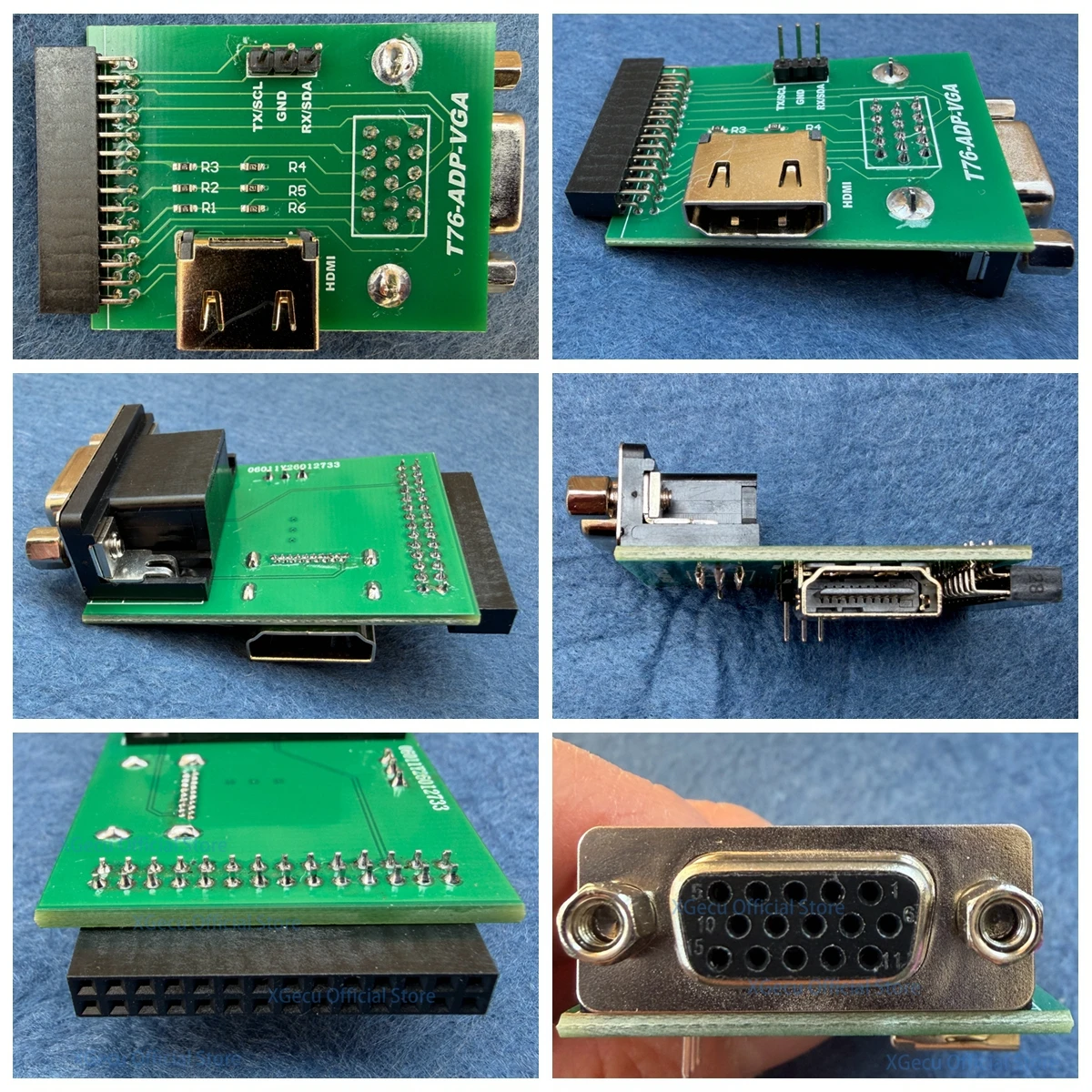
VGA adpter only for XGecu T76 Programmer support VGA interface HDMI-compatible
  • Load image into Gallery viewer, VGA adpter only for XGecu T76 Programmer support VGA interface HDMI-compatible
  • Load image into Gallery viewer, VGA adpter only for XGecu T76 Programmer support VGA interface HDMI-compatible
  • Load image into Gallery viewer, VGA adpter only for XGecu T76 Programmer support VGA interface HDMI-compatible
  • Load image into Gallery viewer, VGA adpter only for XGecu T76 Programmer support VGA interface HDMI-compatible
  • Load image into Gallery viewer, VGA adpter only for XGecu T76 Programmer support VGA interface HDMI-compatible
  • Load image into Gallery viewer, VGA adpter only for XGecu T76 Programmer support VGA interface HDMI-compatible

VGA adpter only for XGecu T76 Programmer support VGA interface HDMI-compatible

Regular price
$15.00
Sale price
$15.00
Regular price
$0.00
Sold out
Unit price
per 

Please note:This adapter only can work on XGecu T76 programmer, other programmers cannot use it!!!

Package includes:
one pcs T76-ADP-VGA adapter

TV LCD Tool Features for Version V13.11:

A. Receive UART console information

B. Automatic identification and programming for MSTAR VGA SPI

C. Parameter reading for TV/LCD devices

D. Monitor EDID programming

E. VGA test signal output: Supports up to 1920 * 1028 * 60Hz high-definition signal

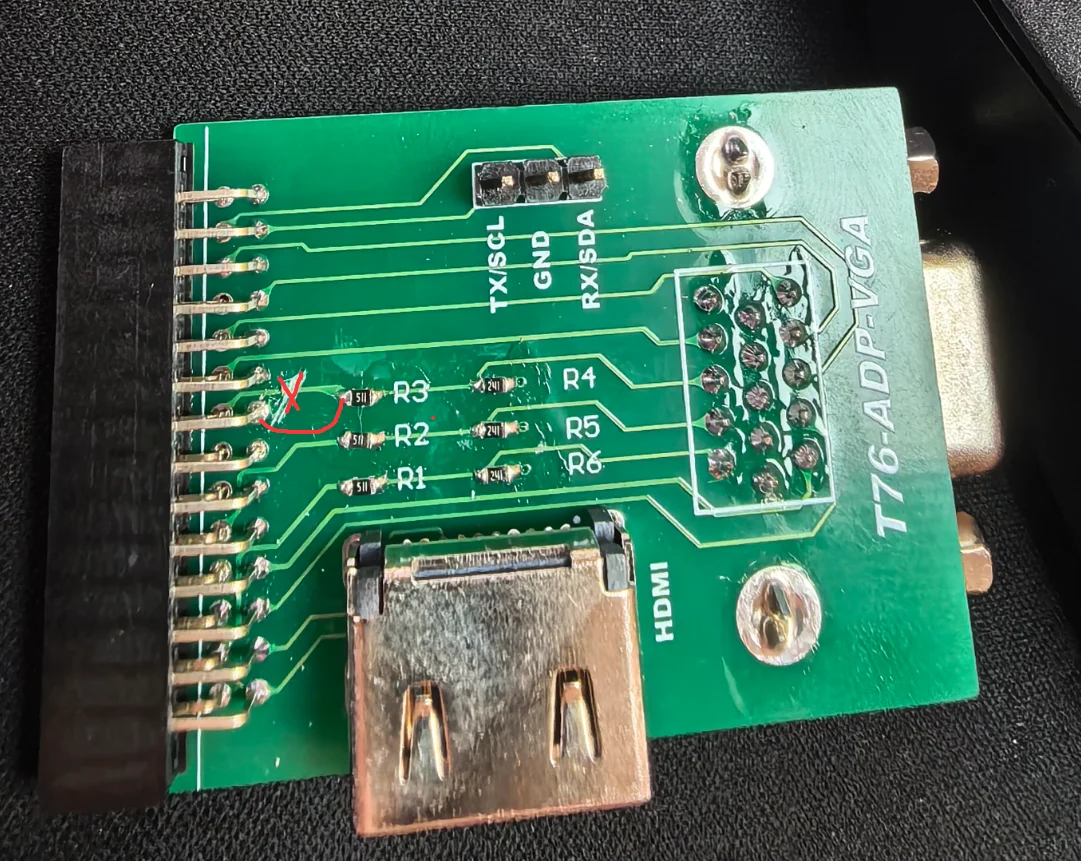
Note: The initial version of the VGA adapter currently lacks the blue signal. After upgrading to software version V13.11, 
the PCB circuitry must be modified to support displaying the blue color. Please be aware, buyers. If you are concerned 
about this, please do not place the order.

The modification method: Refer to the product picture to modify the circuitry, which will then enable blue display 
support with the new software version.